For your message:
1. Please check your TV whether with HDMI port on first before you buy this item.
2. Please check your smart device, the dongle supports iPhone/iPad (iOS 8+) and Android smart phones(Android 4.4+)
3. Make a selection the corresponding HDMI channel.
How to connect:
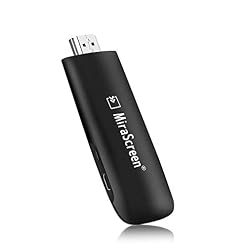
1. Plug MiraCast Dongle to HDMI port on TV/Projector/Monitor
2. Connect the USB cable to power adapter(no less than 5V/1A)
3. The MiraCast main page will be displayed on your TV/Projector/Monitor, then
For iOS device connection, please follow the steps below:
Step 1. Go to phone “Setting” – “WiFi” – connect the MiraCast dongle network (Get SSID and password on screen.)
Step 2. Swiping up “Keep watch over Center” and Turn on “Airplay”
Step 3. Make a selection the MiraCast dongle and enable “Mirroring” to start mirroring
For Android device connection, please follow the steps below:
Step 1: Switch to Miracast mode by pressing button on the dongle
Step 2: Find the Miracast function on your Android device (such as screen mirroring/Miracast/smart view) and turn on
Step 3: Establish Miracast connection between Android device and MiraScreen.
Connect to WiFi Router
Step 1: Switch to Airplay mode by pressing the button, and get the IP address from MiraScreen main page on screen
Step 2: Establish the connection between MiraScreen and the device (Mac/Android/iOS/Windows) via WiFi
Step 3: Use the browser on your device (Mac/Android/iOS/Windows) to access the IP address of MiraScreen, and Make a selection your WiFi router
Step 4: Enter password and connect to your WiFi router
Attention: If the dongle is in mirroring condition before connecting to WiFi , please turn off mirroring(Airplay/Miracast/DLNA) and go back to step 1
What’s in the package:
1 x MiraScreen Dongle
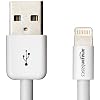
1 x USB cable
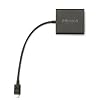
1 x HDMI Extender cable
1 x User Manual
Wireless Display: Stream 1080p videos, games, audio, pictures, apps and files from your mobile device to your big HD TV, projector and monitor. Built-in 2.4G WLAN module; Beef up HDMI 1.3; Beef up 1080P full HD output to bring the very best experience.
Easy to use: No additional app or driver required. Only 3 steps necessary to enjoy your media files on the large screen. Plug-Connect-Mirroring through Miracast, DLAN, Airplay.
Compact & Easy to carry:the wireless stick is perfect for presentation in the office or at school (Powerpoint, Excel, Word, PDF and pictures from the smartphone, tablet to the HD TV or beamer, Projector)
Good compatibility: Smartphones and tablets (Samsung, Sony, iPhone, and so on) with Android 4.4+ and iOS 8.0+ are supported. The software may also be up to date online and still works when your smartphone or tablet is up to date
Attention: 1. The dongle will have to be powered by external power adapter(no less than 5V/1A). 2. Not Compatible with Netflix,HBO go, HULU and Honda motor. 3. Please check whether your Android smart device supports MiraCast(if not, it not works)

Motorola MC9090 Mobile Computer - Gun / 802.11a/b/g / SE1224 / Color / 64/128MB / 53 key / Windows Mobile 5.0.0 - MC9090-GF0HJEFA6WR
Talentcell Rechargeable 6000mAh Li-Ion Battery Pack for LED Strip and CCTV Camera,12V DC Portable Lithium Ion Battery Bank with Charger,Black
OdiySurveil (TM) Metal CCD Security Housing Wall Mount Bracket for Oculus, Arlo, Arlo Pro and Other Compatible CCTV Cameras
HP 950XL | Ink Cartridge | Black | Works with HP OfficeJet Pro 251dw, 276dw, 8100, 8600 Series | CN045AN
HyperX Cloud Core Gaming Headset - Durable Aluminum Frame - 53MM Drivers - Detachable Microphone - Works with PC/PS4 & Xbox One, Nintendo Switch (KHX-HSCC-BK)
VideoSecu 2 Pack 2-6 inch Metal Wall Ceiling Mounts Adjustable Pan Tilt Video Camera Mounting Brackets with Ceiling Clip for CCTV DVR Home Installation Surveillance System 1SG
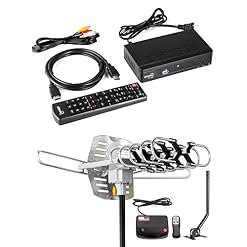
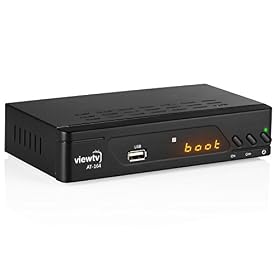
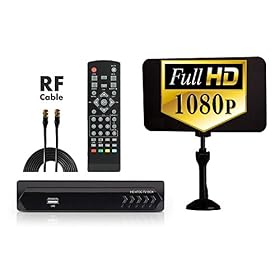
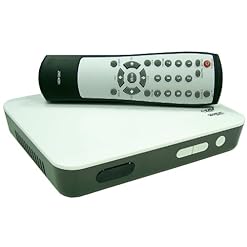
ViewTV AT-163 ATSC Digital TV Converter Box and HDMI Cable w/Recording PVR Function/HDMI Out/Coaxial Out/Composite Out/USB Input (New Model)